
Detected Opportunities vs. Completed Recovery Attempts
Understand the critical distinction between a detected opportunity and a completed recovery attempt — and why only completed attempts consume ARUs.
Learning Objectives
- Distinguish detection from recovery
- Understand the recovery workflow stages
- Know what consumes an ARU and what does not
Prerequisites
Detection
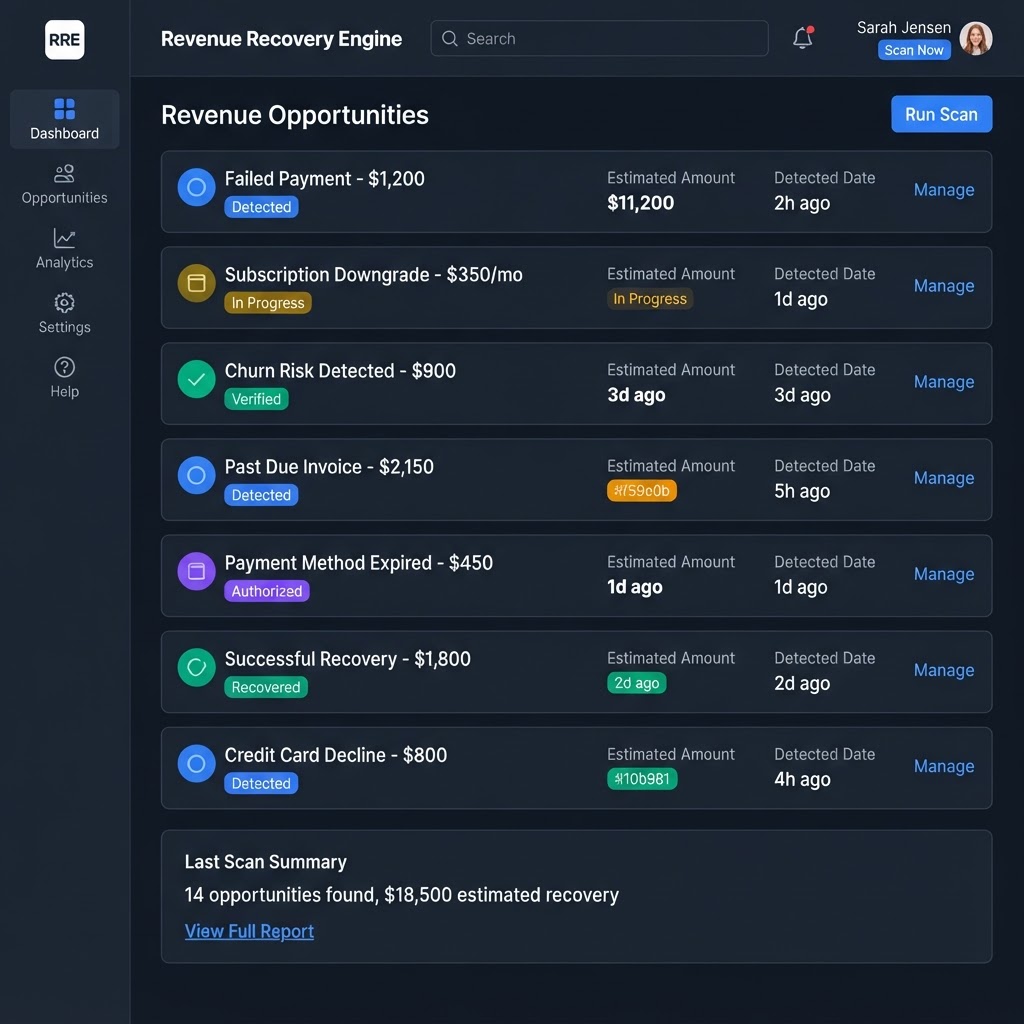
When you run a revenue scan, the scanner analyzes your connected data and detects patterns that may represent recoverable revenue. Each pattern becomes a 'detected opportunity' with an estimated amount. Detection does not consume ARUs and does not recover any revenue — it only identifies potential.
Analysis and verification
The AI verifier reviews each detected opportunity to assess whether it represents a genuine recovery candidate. Verified opportunities are marked as AI-verified. This analysis step also does not consume ARUs.
Authorization
You review each opportunity and decide whether to authorize a recovery action. Authorization is your explicit consent — Recoupant never takes action without it. Authorization does not consume ARUs.
Recovery attempt
Once authorized, a recovery action is initiated. The attempt moves through 'in progress' to a terminal outcome — successful or unsuccessful. Only when the attempt reaches a confirmed completed outcome is one ARU consumed. Pending attempts do not consume ARUs.
Summary
Scanning, analysis, verification, and authorization are all free. Only a completed recovery attempt — one that has reached a terminal outcome — consumes one ARU. This means you can scan and review as much as you need without worrying about usage.
Important Notes
- One ARU = one completed recovery attempt, whether successful or unsuccessful.
- Pending, scanned, queued, or never-executed attempts produce no ARU charge.
Related Tutorials
Need more help?
Browse the Knowledge Center or chat with our Support AI assistant.